Prompt Generator — structured prompts, first try
Describe your subject once, pick the scene, and get a four-part prompt — role, task, format, rules — assembled and ready to copy. For ChatGPT, Midjourney, image tools, writing, marketing and code.
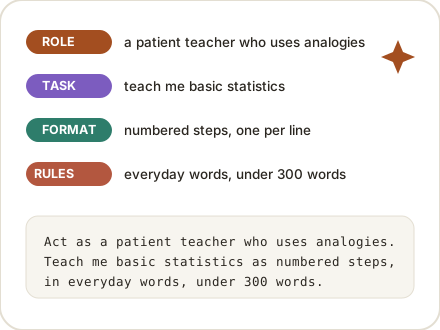
Four parts, one prompt: each part is labeled so you can tweak just one — the Copy button always copies the whole prompt as a single piece.
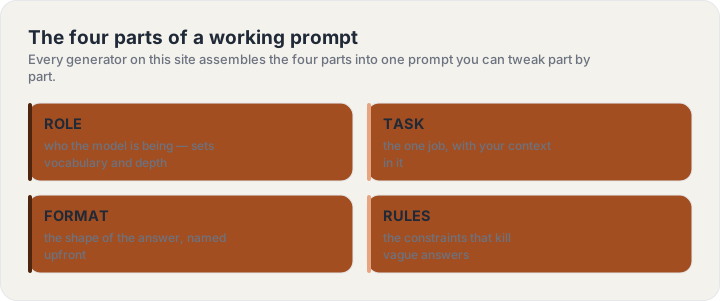
Why four parts instead of one line
A one-line prompt asks the model to guess three things at once: how deep to go, what shape to answer in, and where the limits are. Every vague answer you have ever gotten traces back to one of those guesses. The four parts kill the guessing: the role sets vocabulary and depth, the task carries your context, the format names the shape before the first word is written, and the rules cut everything you did not want.
The structure also makes prompts editable. When an answer is close but not right, you know which part to turn: more depth means adjust the role, wrong shape means adjust the format, rambling means tighten the rules. That is the whole skill of prompting — and the generator bakes it in.
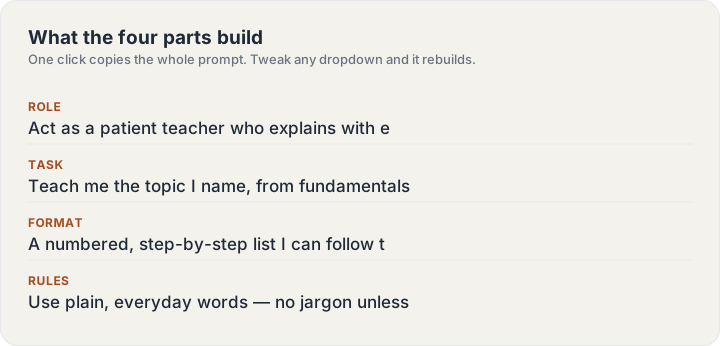
Generators by scene


The prompt library
Six curated collections — copy any prompt, swap the bracketed parts for yours, paste it in. Every prompt names its job in the first line.
Guides
Frequently asked questions
Is this prompt generator free?
Yes — every generator and every library page is free, with no sign-up, no credits and no daily cap. The prompts are built in your browser; nothing you type is sent anywhere or stored.
What makes a structured prompt better than a one-liner?
A one-liner leaves the model guessing about depth, shape and limits. The four parts — role, task, format, rules — answer those guesses upfront, which is why the answers come back usable on the first try instead of the third.
Which AI tools do the prompts work with?
The ChatGPT, writing, marketing and coding prompts work in any text model — ChatGPT, Claude, Gemini and their peers. The image and Midjourney prompts are formatted for Midjourney, DALL·E and Stable Diffusion, with the parameter tail already assembled.
Can I edit the prompt after building it?
That is the point of the four parts: each part is shown and labeled, so you can rebuild with different dropdowns or copy the prompt and edit one sentence by hand. The Copy button always copies the whole thing as one piece.
Do you store what I type?
No. The generator runs entirely in your browser — the subject line and every dropdown stay on your device, and there is no account system to store anything in.