
Prompt Templates vs Custom Prompts: When to Use Which
Templates buy speed, custom prompts buy fit. Here is the honest split — and how to turn a template into a custom prompt in one pass.
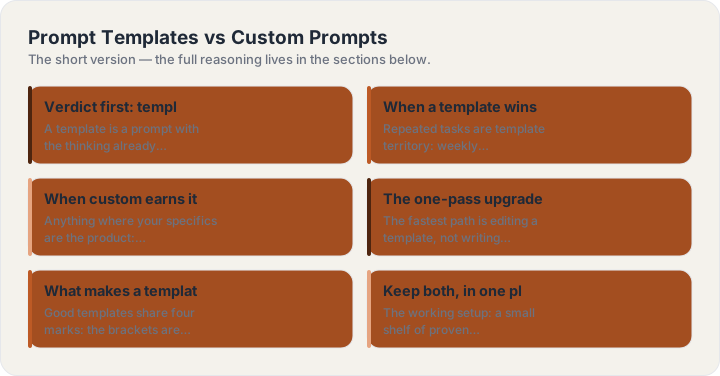
Verdict first: templates for speed, custom for fit
A template is a prompt with the thinking already done — structure, role and format chosen by someone who hit the failure modes first. A custom prompt is built from your specifics. The honest split: start from a template whenever the task is standard (an email, a summary, a product shot); go custom whenever your context is the value (your voice, your product, your weird constraint). Most real work is a template edited in two places.
When a template wins outright
Repeated tasks are template territory: weekly reports, code review asks, interview prep, launch emails. You do the format thinking once and never again — and consistency across repeats is itself a quality gain. Templates also de-risk new tools: the same four-part template moves between ChatGPT, Claude and Gemini with almost no editing, because it carries its own context instead of relying on model-specific rapport.
When custom earns its price
Anything where your specifics are the product: brand voice work, a pitch with your real traction, a legal-adjacent summary where one wrong assumption matters. Custom also wins when a template keeps “almost” working — the edit you keep making is the signal to break it into your own version. Save that version; it is now your template.
The one-pass upgrade: template to custom
The fastest path is editing a template, not writing from blank. Three touches turn any template into yours: swap the bracketed placeholders for real specifics (the more concrete the better), add one context line the template could not know (“we tried this last year and it failed because…”), and adjust one rule to your pet peeve. That is a thirty-second edit and it captures most of the value of writing from scratch.
What makes a template good in the first place
Good templates share four marks: the brackets are the only thing you must touch; the format is named inside the prompt; the rules section pre-empts the two or three failure modes of that task; and the first line tells you what the prompt is for. If a template needs a tutorial to use, it is a template of a tutorial — skip it.
Keep both, in one place
The working setup: a small shelf of proven templates for repeated tasks, and the generator for everything else — same four-part structure, assembled from your subject and dropdowns in seconds. Copy from the shelf when the task is known; build when it is new; and when a build works twice, promote it to the shelf.
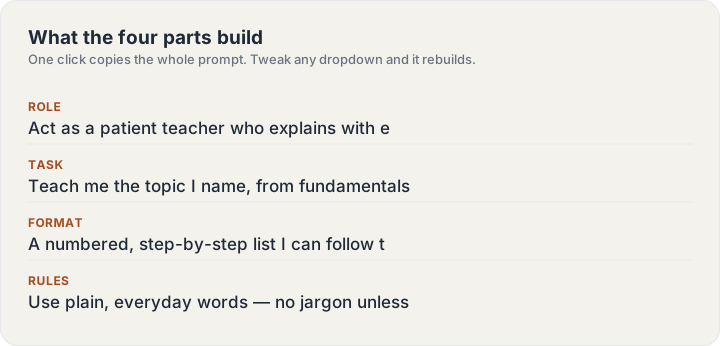
Build one now
The ChatGPT Prompt Generator turns a subject line into this guide’s structure — four parts, labeled, copyable in one click.
Keep reading
Frequently asked questions
Do I need to memorize any of this?
No — the four parts are the whole system, and the generator on this site assembles them for you. The guides exist for the moment you want to know why an answer came back the way it did.
Do these techniques work outside ChatGPT?
Yes — the structure (role, task, format, rules) is model-agnostic and works in Claude, Gemini and image models alike. Only the parameter tail on image prompts is tool-specific.