
ChatGPT Prompt Tips for Everyday Work
Small settings, big differences: how to brief ChatGPT for writing, analysis and learning without turning prompting into a hobby.
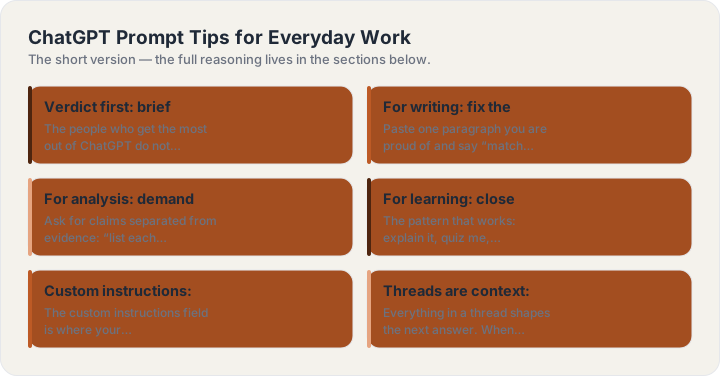
Verdict first: brief it like a colleague
The people who get the most out of ChatGPT do not type incantations — they give briefs. A working brief has the four parts (role, task, format, rules) and takes twenty seconds to type. The tips below are the small settings and habits that make everyday work — writing, analysis, learning — come back right the first time.
For writing: fix the voice before the draft
Paste one paragraph you are proud of and say “match this voice” before asking for the actual draft. Voice transfers; descriptions of voice do not. Then brief the piece itself — audience, length, the one thing it must accomplish. For edits, “keep my meaning, cut 40%, flag anything you were unsure about” outperforms any style advice the model might improvise.
For analysis: demand the shape of the reasoning
Ask for claims separated from evidence: “list each claim, the support for it, and your confidence”. You get auditable answers instead of confident mush. For anything with numbers, add “show the calculation” — arithmetic errors drop sharply when the working is exposed. And when the input is a long text, say what to ignore: “the methodology section matters most; skip the literature review”.
For learning: close the loop in one thread
The pattern that works: explain it, quiz me, correct me — in one conversation. “Teach me X in numbered steps. After each step, ask me one question that tests it. Wait for my answer before continuing.” The quiz questions force retrieval, which is the part self-explanations always skip. Follow with “what did I get wrong in my own words?” — explaining your error back is where it sticks.
Custom instructions: set once, save a step
The custom instructions field is where your standing context lives: your profession, the audience you always write for, the formats you prefer. Two lines there — “I am a freelance photographer; prefer concrete numbers over adjectives; default to short answers with a bullet summary” — quietly improves every prompt that follows, and removes the boilerplate from your daily briefs.
Threads are context: start fresh on purpose
Everything in a thread shapes the next answer. When a thread has gone sideways, starting a new one with a clean four-part brief beats arguing with the accumulated context. Conversely, when an answer is close, stay in the thread — “same structure, but for X” is the highest-value follow-up there is.
A twenty-second checklist
Before sending any prompt that matters: one role, one task, context for who it is for, a named format, and one real constraint. If any of the five is missing, you are not prompting — you are wishing. And when you would rather not assemble it by hand, the generators on this site do the assembly from a subject line and five dropdowns.
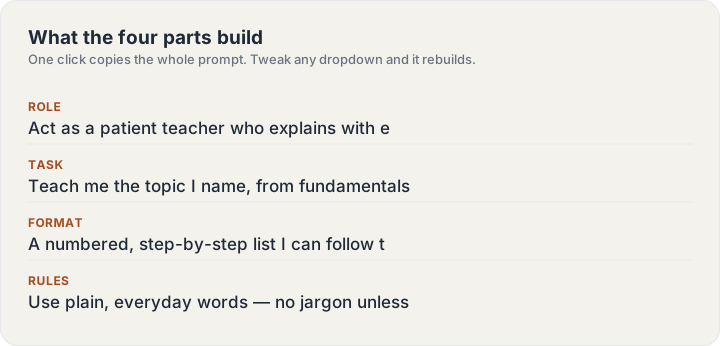
Build one now
The ChatGPT Prompt Generator turns a subject line into this guide’s structure — four parts, labeled, copyable in one click.
Keep reading
Frequently asked questions
Do I need to memorize any of this?
No — the four parts are the whole system, and the generator on this site assembles them for you. The guides exist for the moment you want to know why an answer came back the way it did.
Do these techniques work outside ChatGPT?
Yes — the structure (role, task, format, rules) is model-agnostic and works in Claude, Gemini and image models alike. Only the parameter tail on image prompts is tool-specific.