
Prompt Engineering Basics: What Actually Moves the Output
Ranked by real effect: the six techniques that change what you get back, and the popular ones that barely matter.
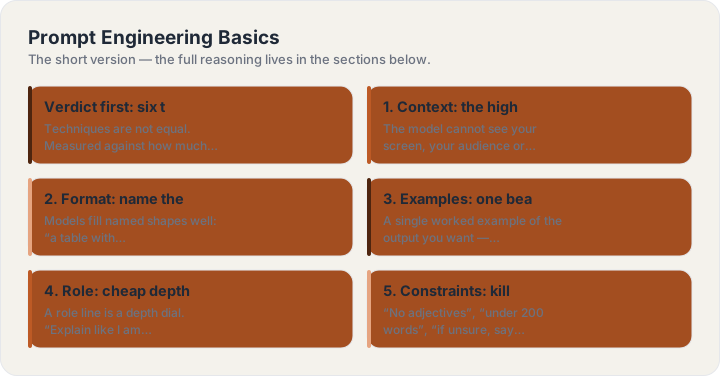
Verdict first: six techniques that actually move output
Techniques are not equal. Measured against how much they change a real answer, six earn their keep: context, format naming, examples, role, explicit constraints, and iteration on the same thread. The rest — persona theatrics, emotional appeals, “think step by step” incantations on modern models — range from marginal to decorative. Here is what each of the six does and when it stops helping.
1. Context: the highest-leverage sentence
The model cannot see your screen, your audience or your history. One sentence of who-this-is-for changes more than any wording trick: “for a team that already tried and abandoned this tool” produces a different document than “for first-time users”. When an answer feels generic, the fix is almost always a missing context clause, not a better verb.
2. Format: name the container
Models fill named shapes well: “a table with columns X/Y/Z”, “exactly five bullets”, “a 150-word answer in plain English”. This is the fastest fix for rambling output and works in every model you will touch. If you can sketch the answer on paper, describe the sketch.
3. Examples: one beats a paragraph
A single worked example of the output you want — tone, length, shape — outperforms a paragraph describing it. Two or three examples establish a pattern; past that, returns flatten. For stylistic work (voice, format quirks), examples are not optional: description alone never carries a voice.
4. Role: cheap depth control
A role line is a depth dial. “Explain like I am new” and “explain for a practitioner” change the same answer’s altitude. Keep roles occupational (“pediatric nurse”, “staff engineer”) rather than famous-name or fantastical — occupational roles map to real text distributions; celebrity personas mostly import noise.
5. Constraints: kill lists work
“No adjectives”, “under 200 words”, “if unsure, say so” — explicit prohibitions and quotas reliably shape output. The limit: constraints compete. Stack ten and the model quietly drops the least compatible ones. Three binding rules outperform ten aspirational ones.
6. Iteration: same thread, sharper turns
The underrated technique is not in the prompt at all — it is the follow-up. “Half the length, keep the structure”, “now the same thing for beginners”, “give me the version you would not show your boss”. The second answer in a thread is usually better than a fresh perfect prompt, because the model now has your reaction as context.
What barely matters anymore
On current models, three popular tricks have faded: “take a deep breath” style incantations, tip offers, and spelled-out chain-of-thought commands for ordinary tasks (genuine reasoning models do this internally now). They do not hurt, but rewriting them into every prompt is effort spent where context or format would move the answer. Spend there instead.
Build one now
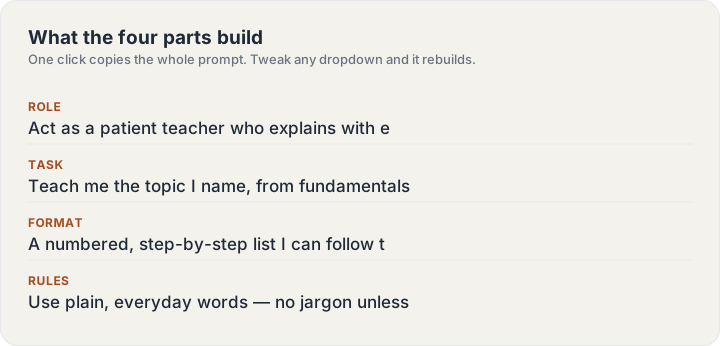
The ChatGPT Prompt Generator turns a subject line into this guide’s structure — four parts, labeled, copyable in one click.
Keep reading
Frequently asked questions
Do I need to memorize any of this?
No — the four parts are the whole system, and the generator on this site assembles them for you. The guides exist for the moment you want to know why an answer came back the way it did.
Do these techniques work outside ChatGPT?
Yes — the structure (role, task, format, rules) is model-agnostic and works in Claude, Gemini and image models alike. Only the parameter tail on image prompts is tool-specific.