
How to Write a Prompt That Works the First Time
The four-part pattern behind almost every prompt that works — and the five mistakes that make answers come back vague.
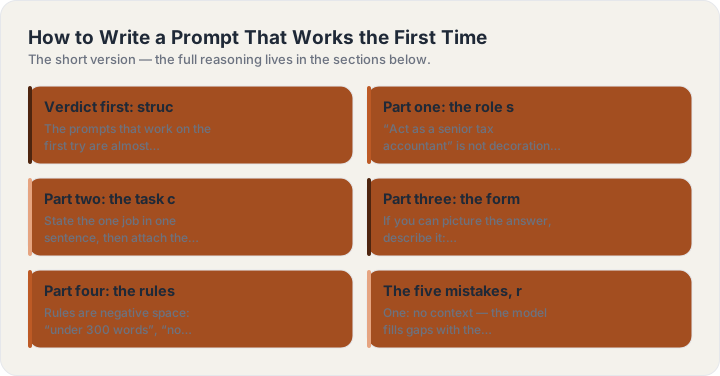
Verdict first: structure beats wording
The prompts that work on the first try are almost never the cleverest ones — they are the most specified ones. Across writing, analysis and coding, the same four-part structure carries nearly every task: a role, a task, a format and a set of rules. Get those four right and word choice barely matters. Get them wrong and no amount of “please” or magic phrasing saves the answer. This page is the pattern, then the five mistakes that break it.
Part one: the role sets depth and vocabulary
“Act as a senior tax accountant” is not decoration — it selects which region of the model’s knowledge gets weight, how much jargon is acceptable, and how cautious the answer is. Pick the role for the job the answer must survive: a patient teacher for learning, a ruthless editor for drafts, a skeptical investor for pitches. One role per prompt; stacking three roles makes the answer hedge between them.
Part two: the task carries your context
State the one job in one sentence, then attach the context the model cannot guess: who the audience is, what the thing is for, what happened last time. “Write a launch email” produces a template; “write a launch email for a habit tracker aimed at freelancers who bill by the project” produces copy. The context clause is the highest-leverage sentence in most prompts.
Part three: the format names the shape upfront
If you can picture the answer, describe it: numbered steps, a two-column table, 120 words, answer-first then support, five bullets and nothing else. Naming the shape before generation starts is the single cheapest quality upgrade in prompting — models are dramatically better at filling a named container than at choosing one.
Part four: the rules cut what you did not want
Rules are negative space: “under 300 words”, “no jargon”, “if a key detail is missing ask me first”, “flag anything you are unsure about”. Two or three rules beat ten — beyond a handful the model starts trading them against each other. Put your real pet peeve in; it is the only way it disappears from the output.
The five mistakes, ranked
One: no context — the model fills gaps with the most average assumption it knows. Two: three jobs in one prompt — split them and run them in sequence. Three: no format — you get a wall of prose shaped like an essay no matter the task. Four: politeness padding — it costs tokens and changes nothing. Five: no example — one sample of what you want (“like this: …”) outperforms a paragraph of description. Fix these five and most prompt problems end.
Make it a habit, not a hobby
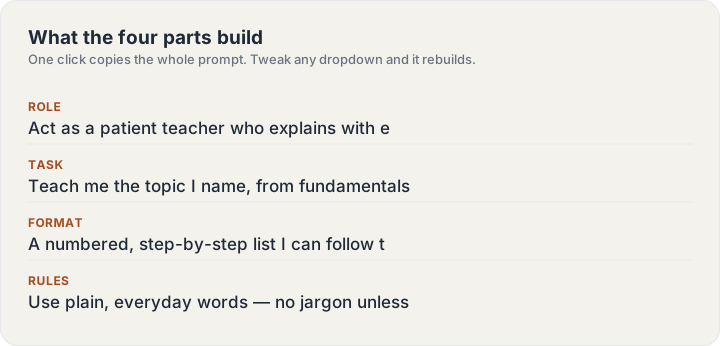
The point of structure is speed, not ceremony. Keep a note with your four working templates — learn, draft, decide, build — and adapt the parts per task. Or skip the ceremony entirely: pick a scene in the generator above, type your subject, and copy what it assembles. Same structure, zero setup.
Build one now
The ChatGPT Prompt Generator turns a subject line into this guide’s structure — four parts, labeled, copyable in one click.
Keep reading
Frequently asked questions
Do I need to memorize any of this?
No — the four parts are the whole system, and the generator on this site assembles them for you. The guides exist for the moment you want to know why an answer came back the way it did.
Do these techniques work outside ChatGPT?
Yes — the structure (role, task, format, rules) is model-agnostic and works in Claude, Gemini and image models alike. Only the parameter tail on image prompts is tool-specific.