
Coding Prompt Generator
Structure code requests the way senior engineers do: role, exact task, output shape and the constraints that keep the answer usable. Free, no sign-up.
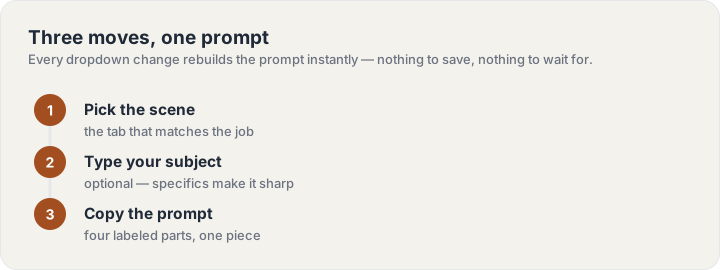
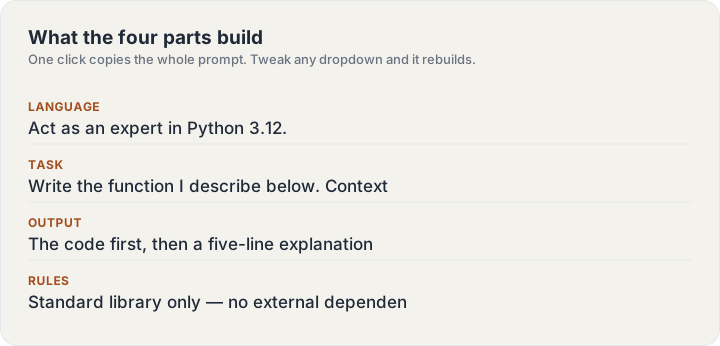
Four parts, one prompt: each part is labeled so you can tweak just one — the Copy button always copies the whole prompt as a single piece.
How the coding scene is tuned
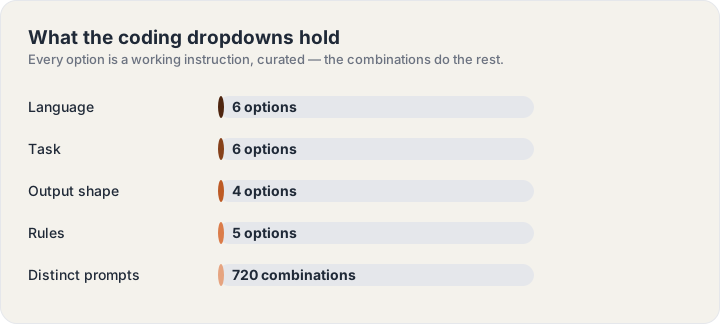
Code answers are only as good as their constraints. Language and task set the baseline, output shape stops the chatter, and the rules column — edge cases, std lib only, no TODOs — is the difference between a snippet and something you ship.
Pair it with the library
When you want a prompt that is already written — not assembled — the Coding Prompts collection keeps 12 curated picks with the structure built in.
Frequently asked questions
How do I use this generator?
Type your subject in the optional box, pick one option per dropdown, and the four-part prompt assembles as you go. Hit Copy and paste it straight into Coding.
Can I use these prompts commercially?
Yes — prompts are instructions, not content we license. Whatever the model produces from them is yours under your tool’s own terms.
Why did my answer come back generic?
Nine times out of ten the subject line is doing double duty: “marketing” will get generic results, “a launch email for a habit tracker for freelancers” will not. Put the specifics in the subject box and keep the dropdowns for structure.
Do the prompts work in Claude, Gemini and other tools?
Yes — the four-part structure (role, task, format, rules) is tool-agnostic by design. Only the Midjourney scene’s parameter tail is tool-specific; everything else pastes cleanly into any current text model.
Can I save a prompt I built?
There is nothing to save into: copy the prompt the moment it reads right and it is yours — the site keeps no history on purpose. Rebuilding takes one click if you ever need the same brief again.